
Your Custom Text Here
Complying With New VAT Rules
OVERVIEW
Industry: E-commerce marketplace (B2C)
Company: LEGO BrickLink® is a global marketplace for LEGO products, with users all around the world. You can buy sets, minifigs, individual parts, new or used. This project focuses on the EU and its affect on over 300,000 EU total BrickLink users. Out of the total EU users, 18,000 are BrickLink sellers.
My Role: UX designer, researcher
Team: Product Manager (Steve), Lead Engineer (Sydney), Visual Designer (Paulina)
Tools: Figma
INTRODUCTION
The European Union (EU) announced changes to Value-Added Tax (VAT) rules for cross-border business-to-consumer (B2C) e-commerce activities.
VAT is a consumption tax that applies to all digital and physical goods or services sold in the EU. Cross-border sales is the sale of products outside of the Seller’s country (e.g. a seller residing in France sells to a buyer in Italy). This project specifically focuses on cross-border sales within the EU.
The new rule stated that when an EU Seller’s total cross-border sales surpasses the €10,000 threshold, EU Sellers must collect VAT at the rate of the buyer’s country of residence.
THE PROBLEM
LEGO BrickLink marketplace platform and its sellers were not set up to comply to the new rules as it was complying to the old rules.
Business constraints
Limited resources: We had a very small team, one Product Manager, two designers (one ux and one ui), and two developers (one back end one front end).
Deadline: We had to make sure we were ready for compliance by the effective date.
Legacy code: We had to work around 20 year old code.
Rearchitect: We planned to rearchitect the site to change our server structure to micro servers so we could reduce dependencies between each services. Due to the rearchitecting of the entire platform, we were going to limit any drastic changes to old codes because everything was going to eventually be updated.
THE GOAL
Prepare the platform and our users for the July 1st effective date of the new rule.
This project put more weight on business goals as our number one focus was to comply. The company could face a penalty if we weren’t compliant.
To comply:
Non-EU sellers selling to EU buyers: BrickLink must collect VAT directly from the buyer on orders under €150.
Intra-EU transactions: Specific requirements determine the country’s VAT rate collected. Sellers must collect the correct VAT rate. Depending on the seller’s total EU sales, it will determine whether or not the VAT rate on that order uses the seller’s country VAT rate or the buyer’s country VAT rate.
RESEARCH
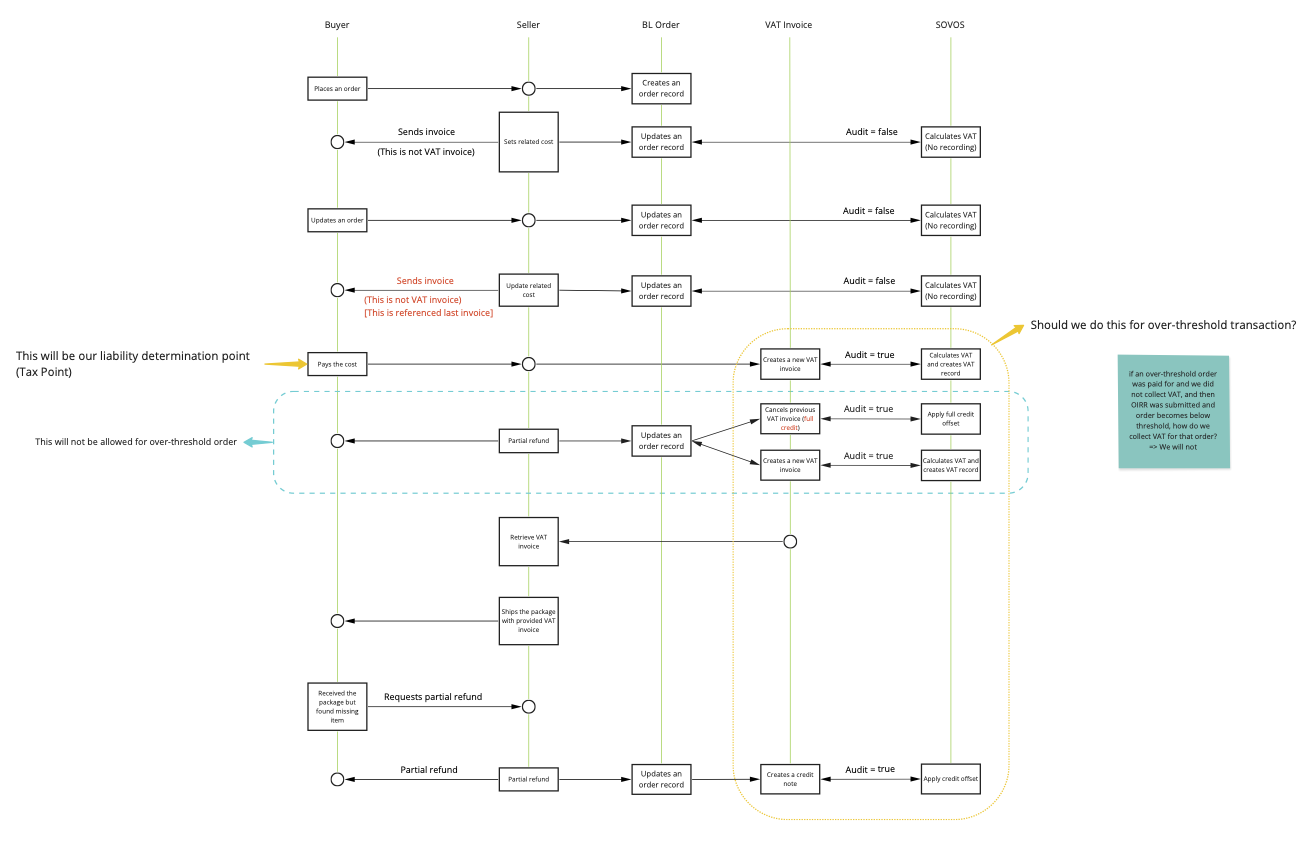
We worked closely with our international tax team and Deloitte, our tax consultant and learned that we needed to integrate Sovos tax reporting software. We worked with Sovos to integrate their services into the platform to help calculate the VAT for orders placed. Previously, we were manually inputting VAT rates into the system, because they rarely changed. It was important for me to understand how we use Sovos and how it affected the design.
User Feedback
We posted an announcement on our community forum regarding the rule changes. I worked with the product manager to review the responses and gather feedback and pain points our users had.
Pain Points
VAT-registered shouldn’t pay VAT: From the feedback, we learned that our B2B buyers were concerned with getting charged VAT because usually the end consumer would pay VAT. Previously on the site, B2B buyers would not need to pay VAT because they worked with the sellers directly to manually exclude VAT on their orders. Currently on BrickLink, there was no way to indicate whether a buyer was a B2B buyer.
Handling seller vs. buyer’s country VAT rate: The rule is that if a seller’s total intra-EU sales surpasses the 10,000 EUR threshold, the seller is required to collect the buyer’s country VAT rate. In order to collect the buyer’s country VAT rate, the seller needs to register in that local country. However, the EU came out with a new scheme, the VAT One Stop Shop (OSS), which allows sellers to have a single registration instead of multiple local VAT registrations. We analyzed our sellers information and found that the majority sell to multiple EU countries, and therefore would most likely register for OSS instead of registering for each country they sell to.
DESIGN IDEATION
Based on user feedback and pain points, we determined that we needed two solutions to reach our goals.
For Non-EU sellers selling to EU buyers, we wanted to provide our B2B users a way to exempt their orders from being charged VAT.
Intra-EU transactions, our sellers need a way to collect buyer’s country VAT rate.
1. B2B
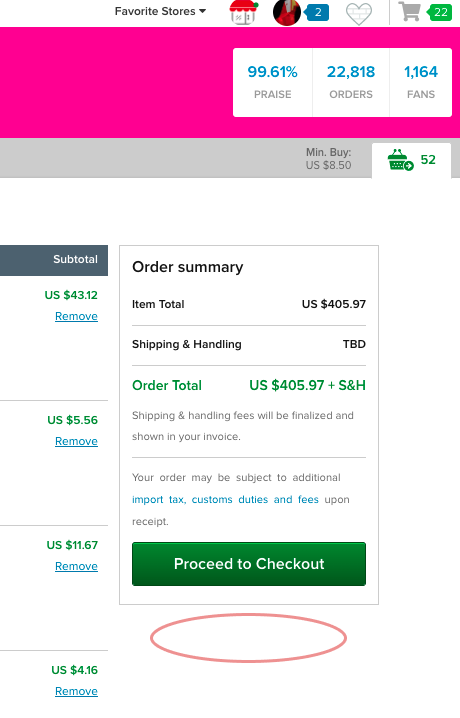
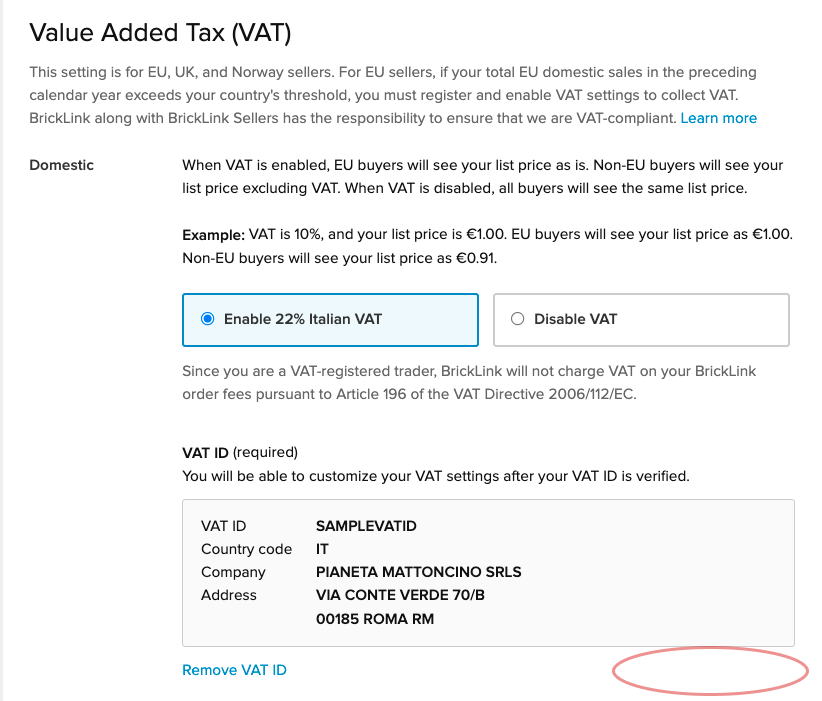
I started with a few ideas on how we can implement B2B. I suggested to tag buyers as B2B and the buyer would be exempt from paying VAT. I went over a few ideas with the product manager and lead developer and the easiest implementation was to include it at the checkout process. Any other option would be too complicated to implement. It would touch old code which we were avoiding because of the rearchitecting.
2. Verifying OSS Registration
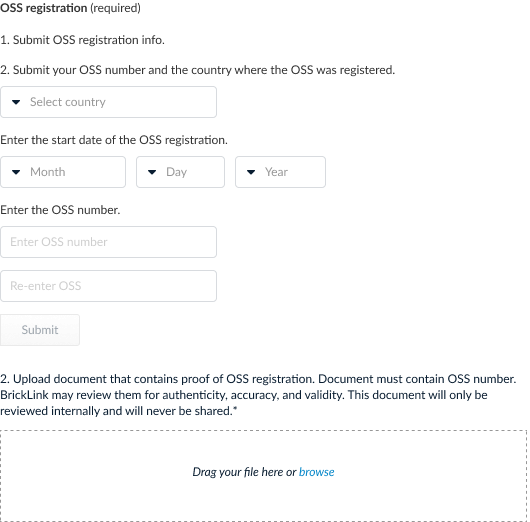
For intra-EU sellers, it was our responsibility to ensure that our sellers were collecting the correct amount of VAT. We needed to verify that sellers were registered and able to collect VAT from other countries but there were no APIs we can use to verify OSS registration. As a marketplace we also had to register since we were also collecting VAT from the buyers, and we received an IOSS number. I based my early designs on this number.

TESTING
We tested the design solutions with our tax team and Deloitte. Because this involved tax and legal, we needed to get their approvals on the final design and copy.
Insight
Deloitte mentioned that our user’s registration would yield an OSS number, not have an IOSS number.
IOSS vs. OSS
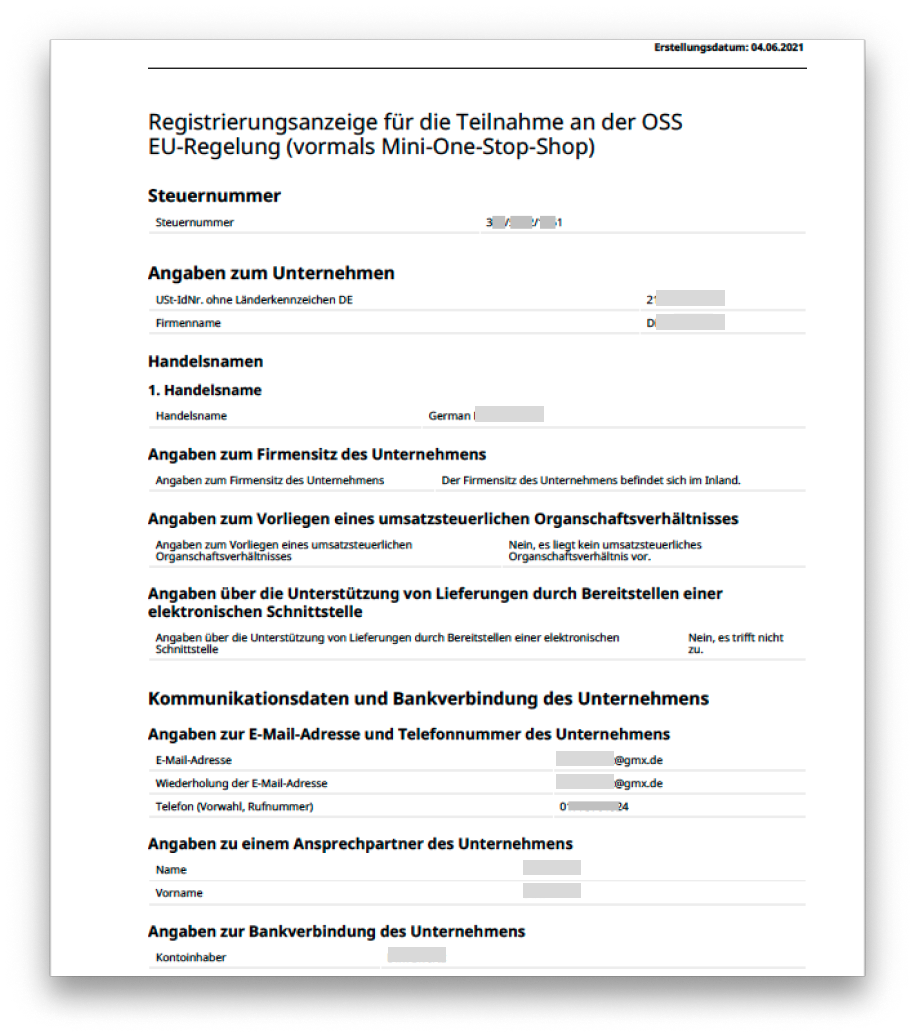
We reached out to our Marketplace Panel, a group of users dedicated to providing feedback, and asked about their registrations. When we finally received information from our sellers, I was able to use the their registration to help me design a form that would prevent fraudulent activity. Our goal was to prevent sellers who weren’t actually registered from turning this feature one.
FINAL DESIGN
B2B
A user would be able to set the order as a B2B order at the checkout page by verifying their VAT ID, which proves they are a VAT-registered seller. A modal will appear and users will be able to verify their VAT ID. After verifying, the order summary will reflect zero VAT. There’s also a setting to have that apply to future orders.
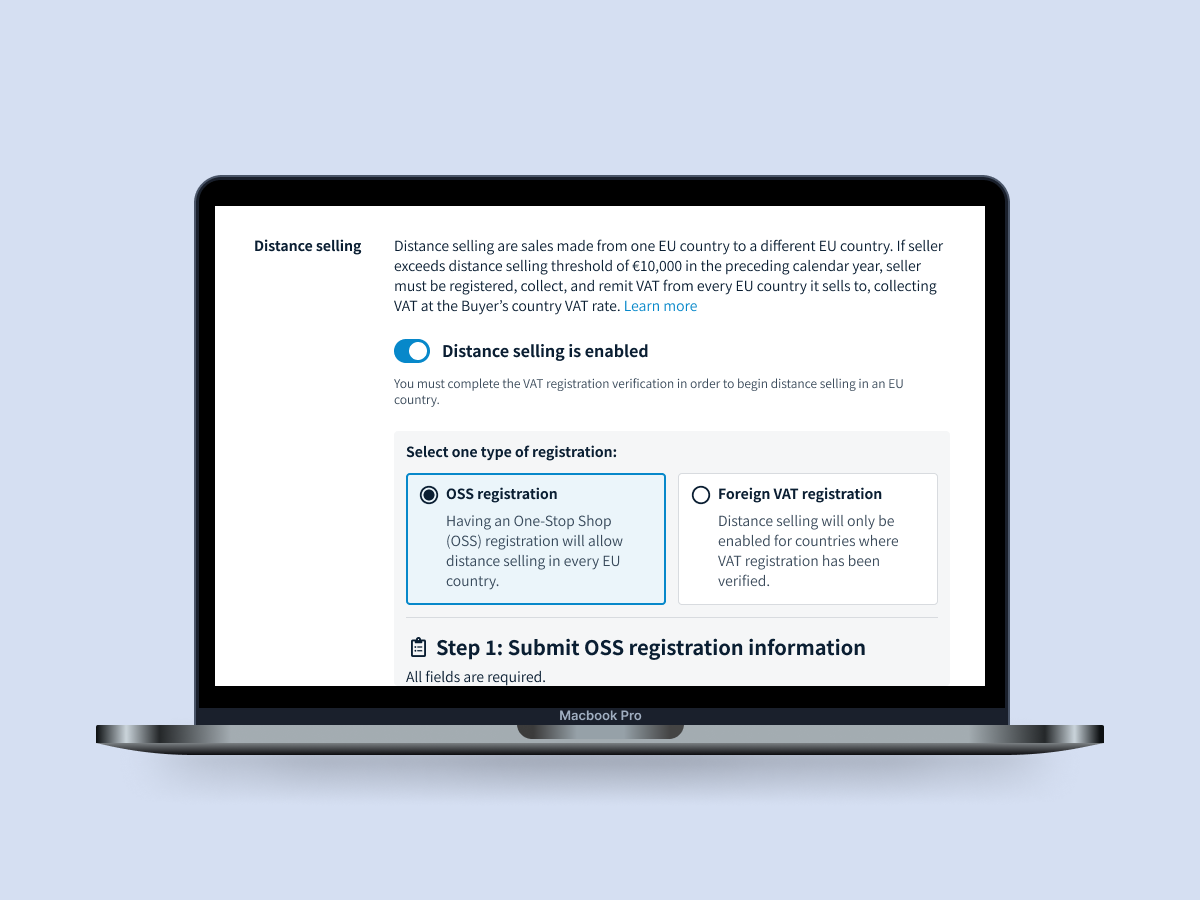
Enable Distance Selling
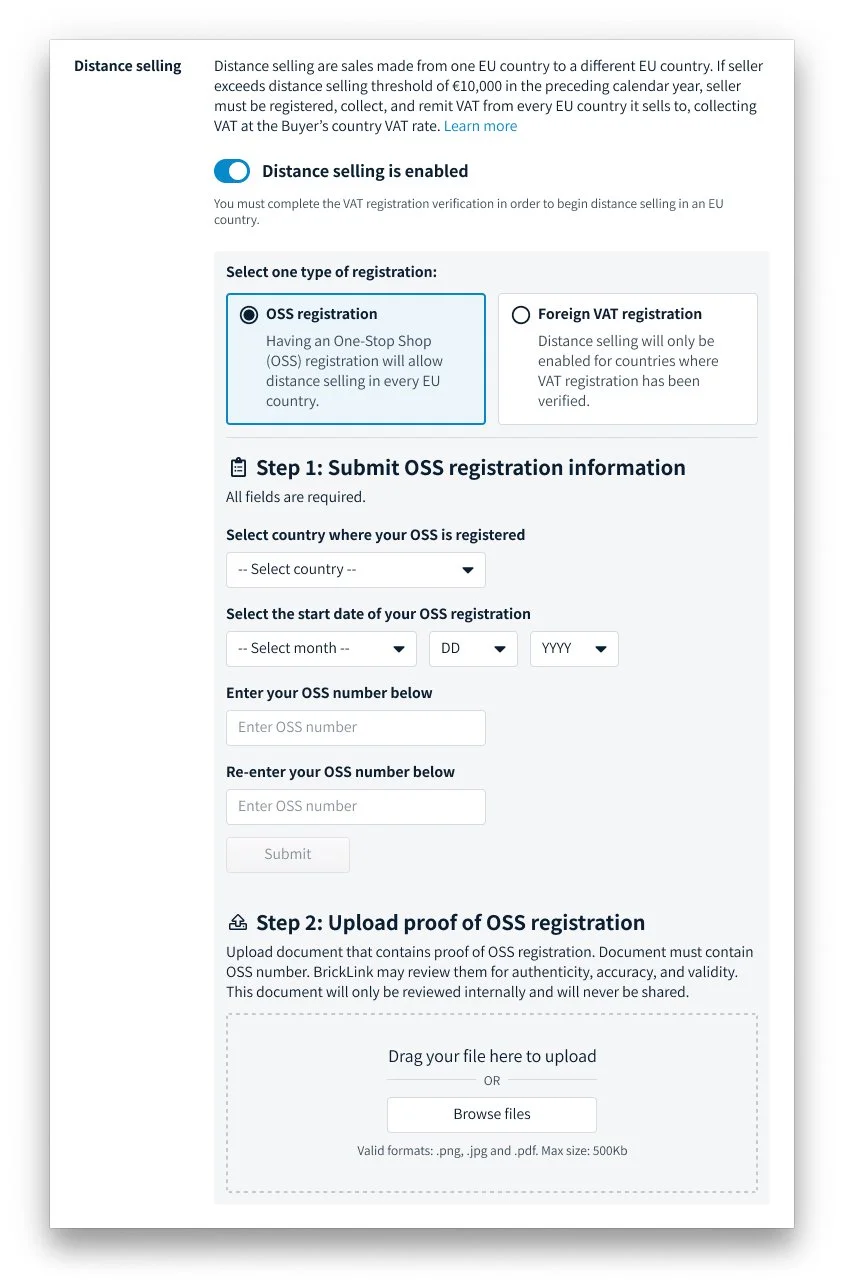
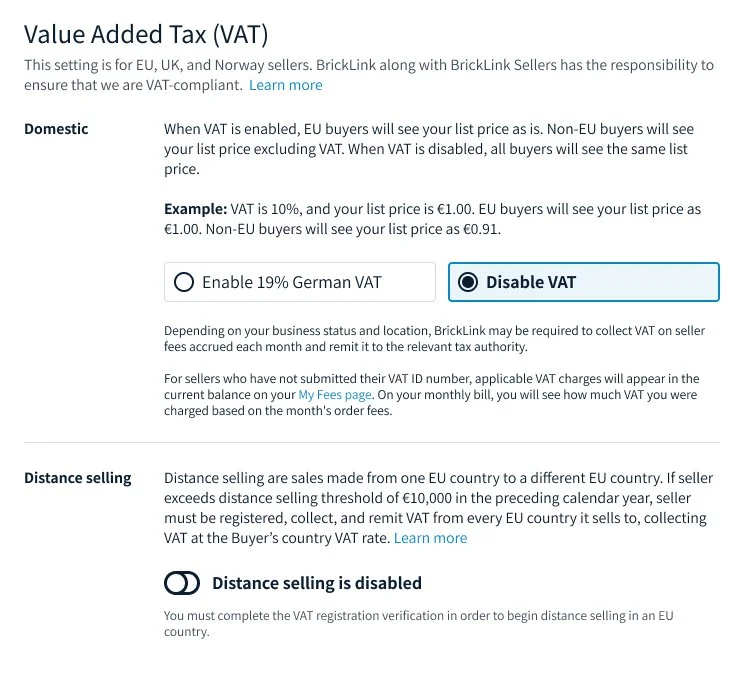
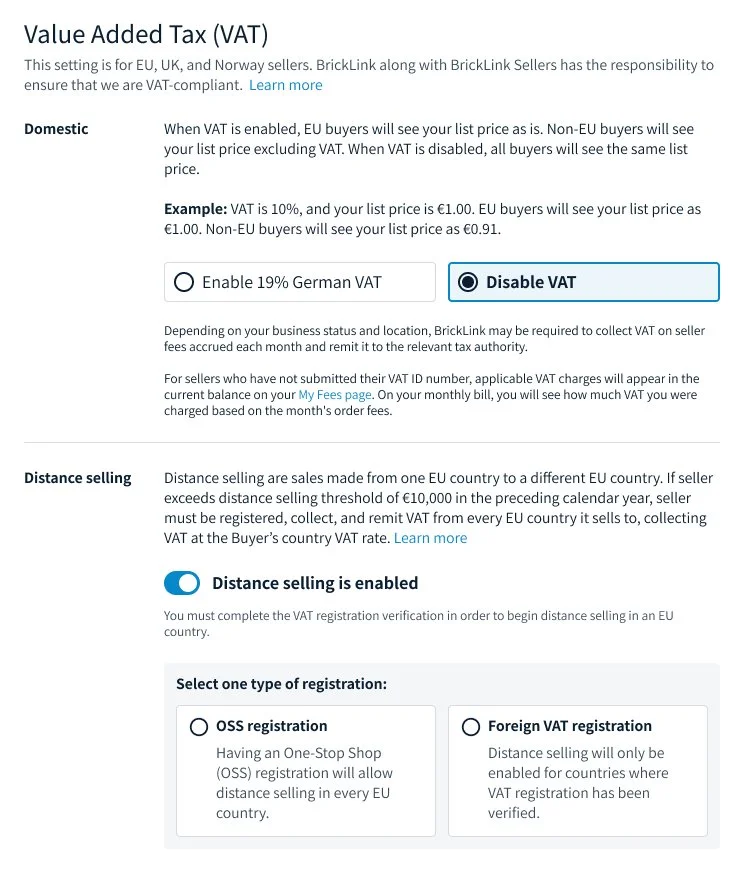
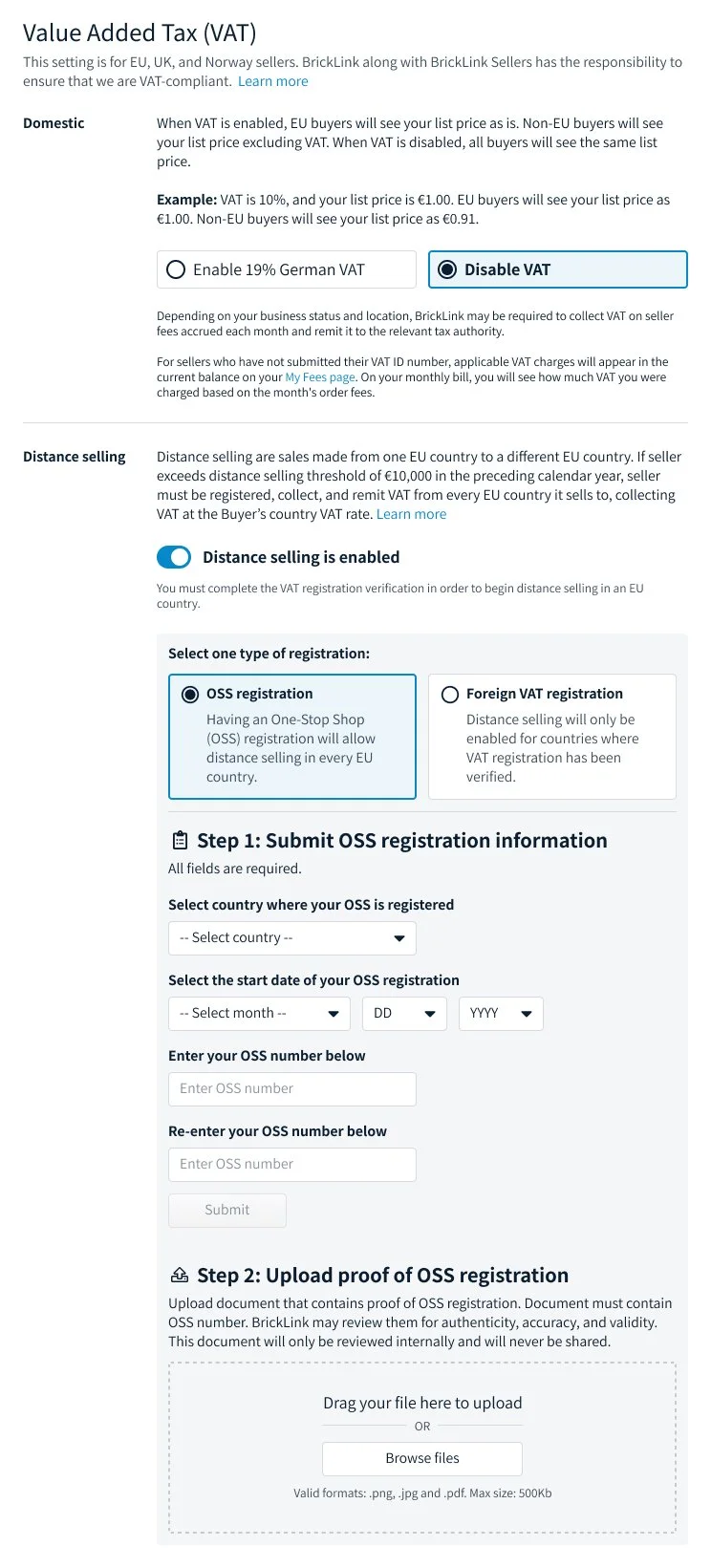
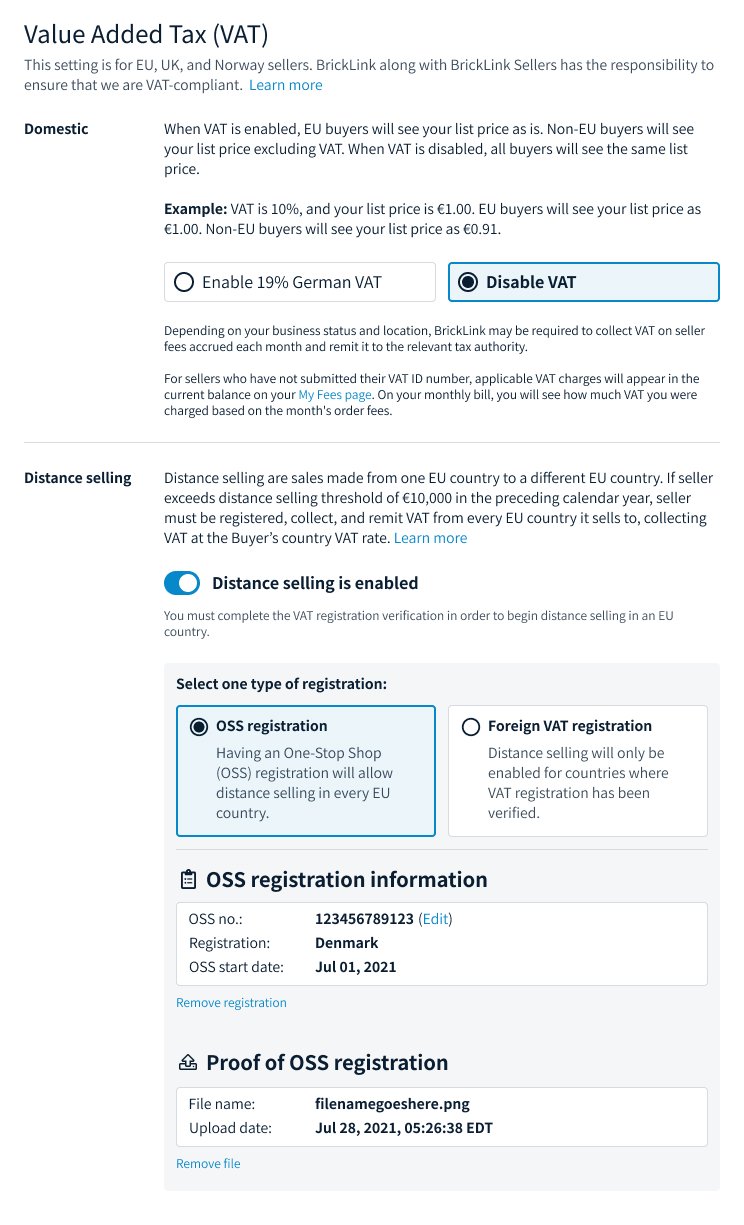
In order for sellers to be able to charge buyer’s country VAT rate, seller must enable distance selling which will let the system know to collect buyer’s country VAT rate for orders below 150 EUR. Sellers can toggle distance selling to enable the feature. I used a toggle to stay consistent with the existing VAT settings design. To enable, the seller must verify OSS registration or local VAT registration, which is registering in each country they do business in.
Here we focus on OSS verification. The form includes the start date and registration number which I drew from the registration scans we received from our users. We also require sellers to upload the scan of their registration. We would be able to review the scan and make sure that it wasn’t a fraudulent registration.
POST-LAUNCH
Impact
We were able to meet the deadline and we released all features by the effective date. Both, BrickLink and our sellers were able to comply. We had a total compliance rate of 89%
88% percentage enabled using their OSS registration.
What I learned
It was really restrictive having to work around the rearchitecting. If we weren’t working with a deadline and there was no penalty, I would have wanted to wait until after the rearchitecting.
I would want to research different country’s tax regulation upfront. I would like to see if solutions overlap. This can speed up our global compliance rate.
Next Steps
Distance selling admin tool
When we received scans of the OSS registration, someone from our team will have to review that document and verify its authenticity. We planned on building an admin tool for this task. We would also be liable to make sure that if our sellers surpass the 10,000 EUR threshold, we will need to require the sellers to turn on distance selling. If sellers do not enable, we would need to block our sellers from selling within the EU.