
REinfluence
Collaboration management tool between users and key influencers to promote products and events
Client: REinfluence (Start@Shea Accelerator 2024)
Industry: Real Estate, Marketing
Role: UX/UI, Bubble io Designer
Tools: Figma, Google Docs, Bubble.io
Duration: Jan - Sep 2024
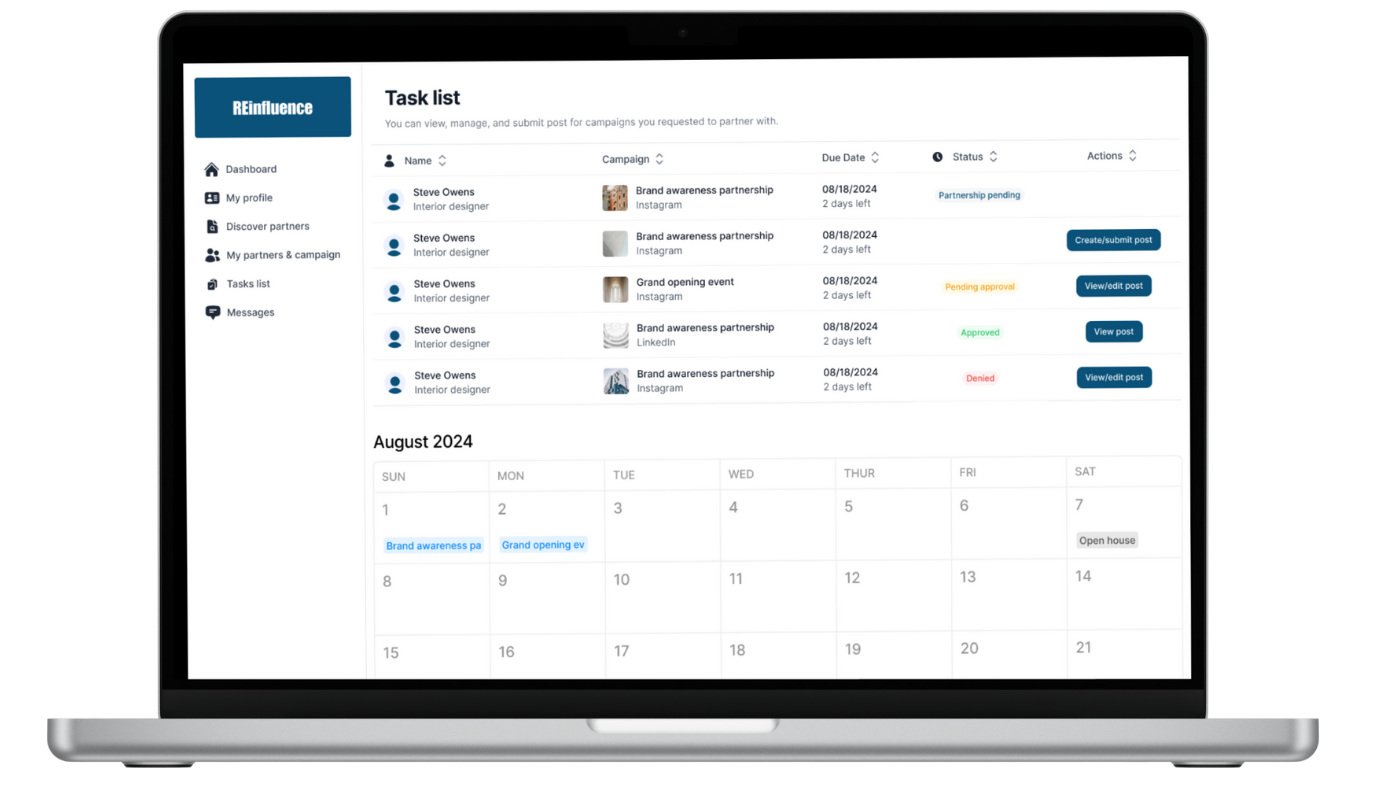
Working with Constraints
Since this was a client-led MVP project, I had no direct access to users or behavioral data. All research and feature decisions were based on collaboration with the client, who acted as a subject-matter expert.
To maintain a user-centered approach, I:
Asked targeted questions to extract user behaviors, goals, and pain points from the client's field experience
Created feature logic based on the client's knowledge of how real estate professionals and influencers operate
Identified areas where future user validation and testing would be essential for improving the MVP
Understanding the Product
Client Goals
The goal was to design a digital platform that enables real estate professionals—agents, architects, and contractors—to collaborate with social media influencers on targeted marketing campaigns. These collaborations could be:
Digital (e.g., branded Instagram or TikTok content)
In-person (e.g., open houses or development launches)
Product Vision
While real estate professionals understand the power of influencer marketing, they often face obstacles in:
Identifying the right influencer partners
Managing communication and agreements
Tracking deliverables and performance
Re-engaging influencers across multiple campaigns
The client envisioned a solution that would:
Simplify collaboration from start to finish
Structure campaign setup, legal agreements, and content approvals
Enable agents to build long-term influencer relationships
Help users visualize an ongoing exposure strategy
Proposed Solution
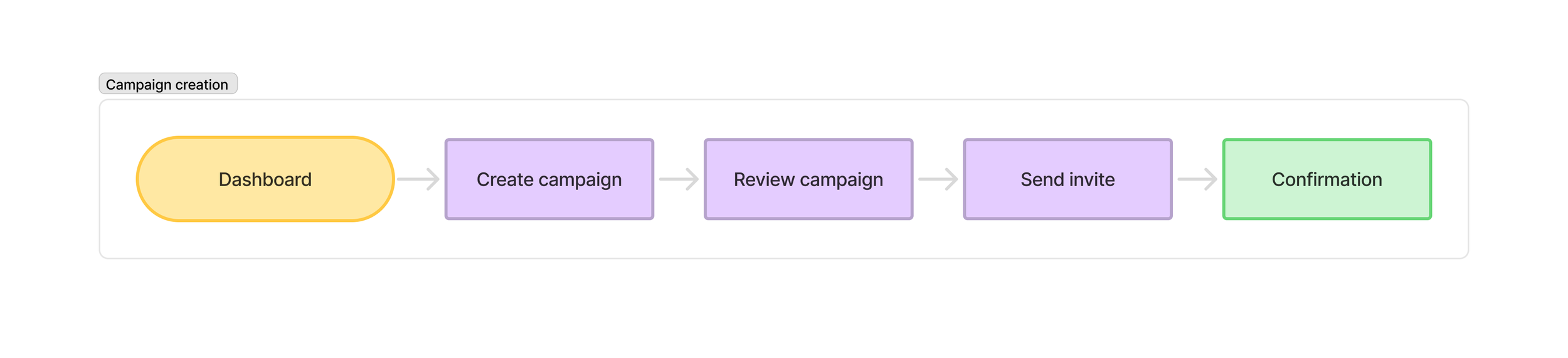
The client supplied a general user journey that mapped the full influencer collaboration lifecycle. I helped transform that into a working interface with these two primary experiences:
Campaign Creation & Management
Continued relationship with influencers (Exposure Plan)

Campaign Creation & Management
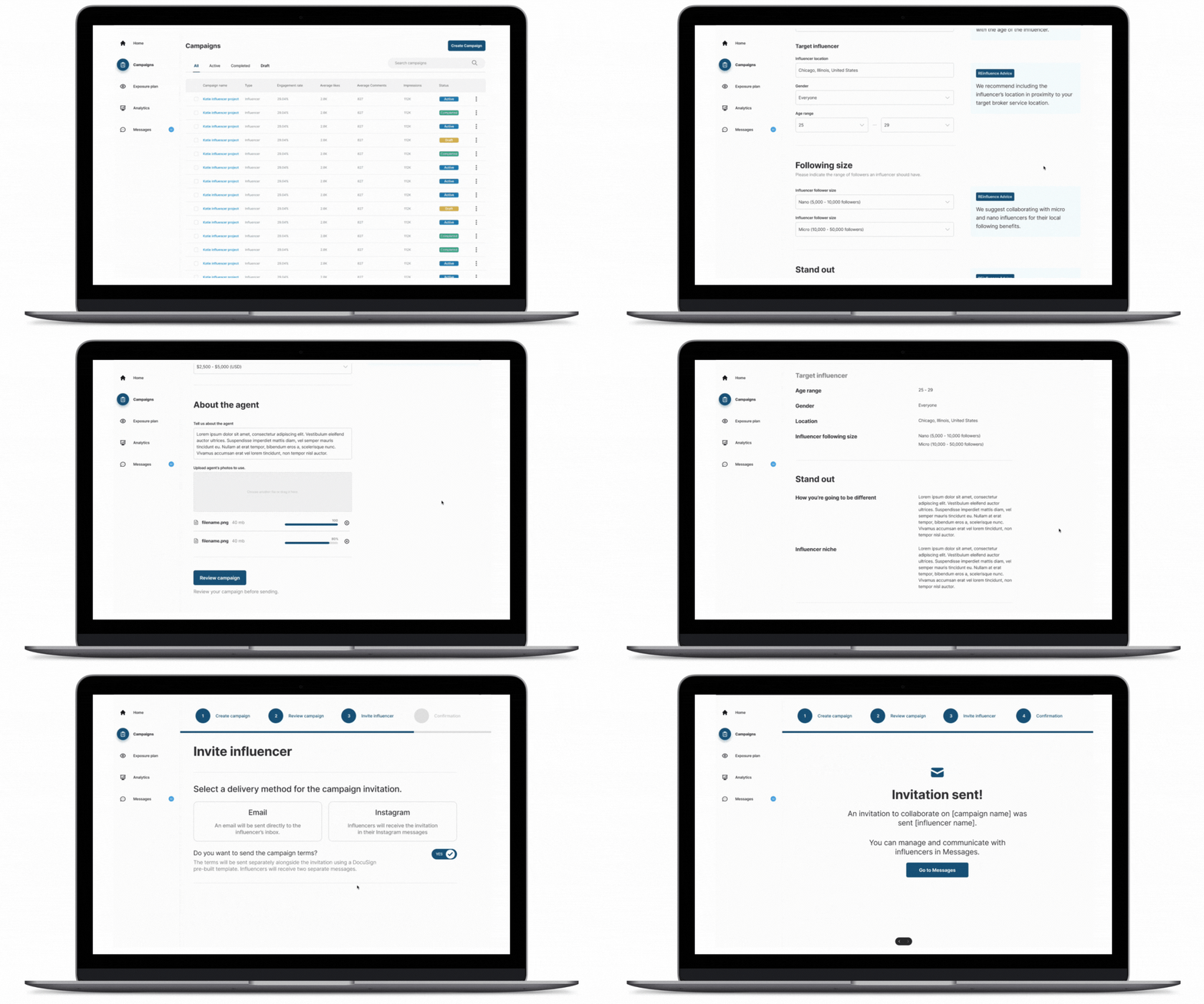
I focused on the feature logic for users to create a campaign with a single influencer (MVP scope), choosing between a digital social media campaign or an in-person partnership.
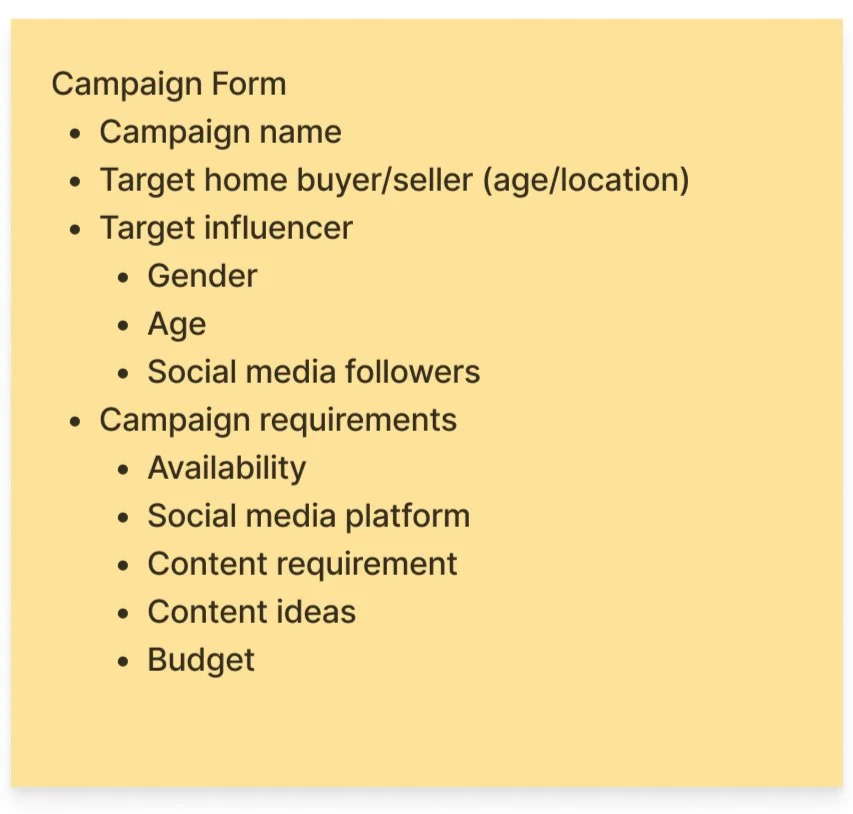
Key UX Considerations:
Campaigns are streamlined into a guided form flow
On the review screen, users can send agreements via:
DocuSign template (prebuilt legal terms)
Email integration (invites sent directly to influencer inbox)
Meta Direct Messaging integration (Instagram direct messages for informal outreach)
Actions are then logged into Messages, where each is recorded with status tags (“Invitation Sent”, “Terms Sent”, etc). In Messages, users can also:
Approve or reject influencer content drafts
Send payments
Add collaborators (e.g., invite a marketing team)
Invite past influencers to new in-person campaigns
The Exposure Plan
Real-World Insight:
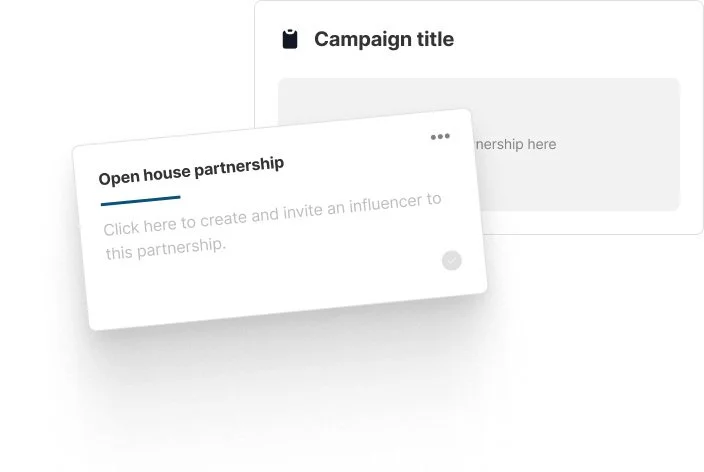
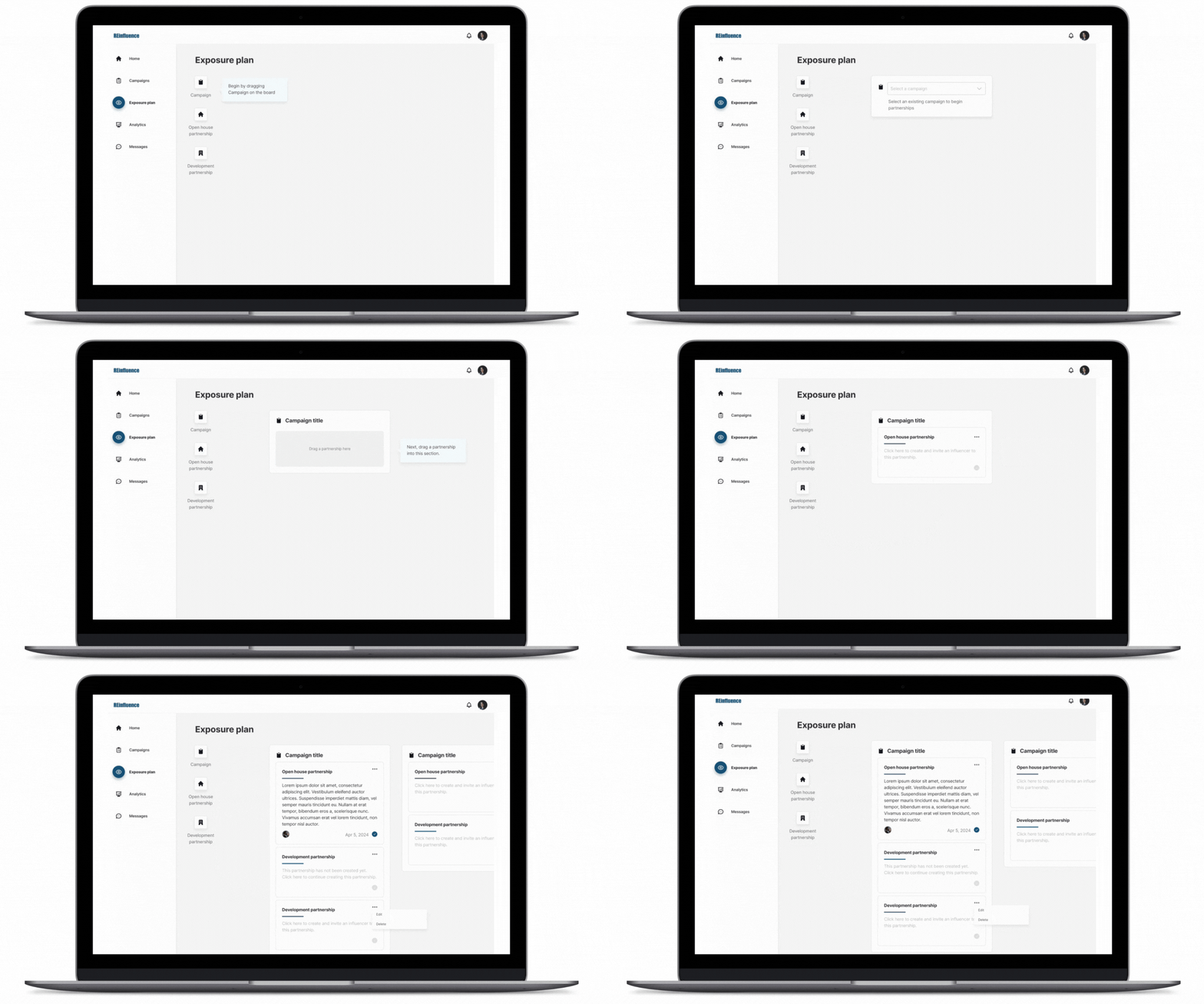
Agents often build strong relationships with influencers but lack a structured way to reuse their top performers across other listing types (like developments or open houses). The Exposure Plan solves this by allowing users to visualize how and where they'll collaborate with these influencers again.
Inspiration
The client wanted a drag-and-drop canvas for users to strategically map out future influencer partnerships that go beyond one-time campaigns.
I suggest the client conduct user testing to validate this was the best way a user to map out partnerships.
Prototype
Iteration 1
Create Campaign
Exposure Plan
Feedback
Why It Didn’t Work
Client feedback revealed users were confused by this feature. It was visually interesting, but not essential to the MVP. The feature was removed in favor of focusing on campaign creation and execution.
New Feature Request
Allow users to browse and invite influencers that match campaign criteria
Iteration 2 - Feedback Driven
Campaign Creation
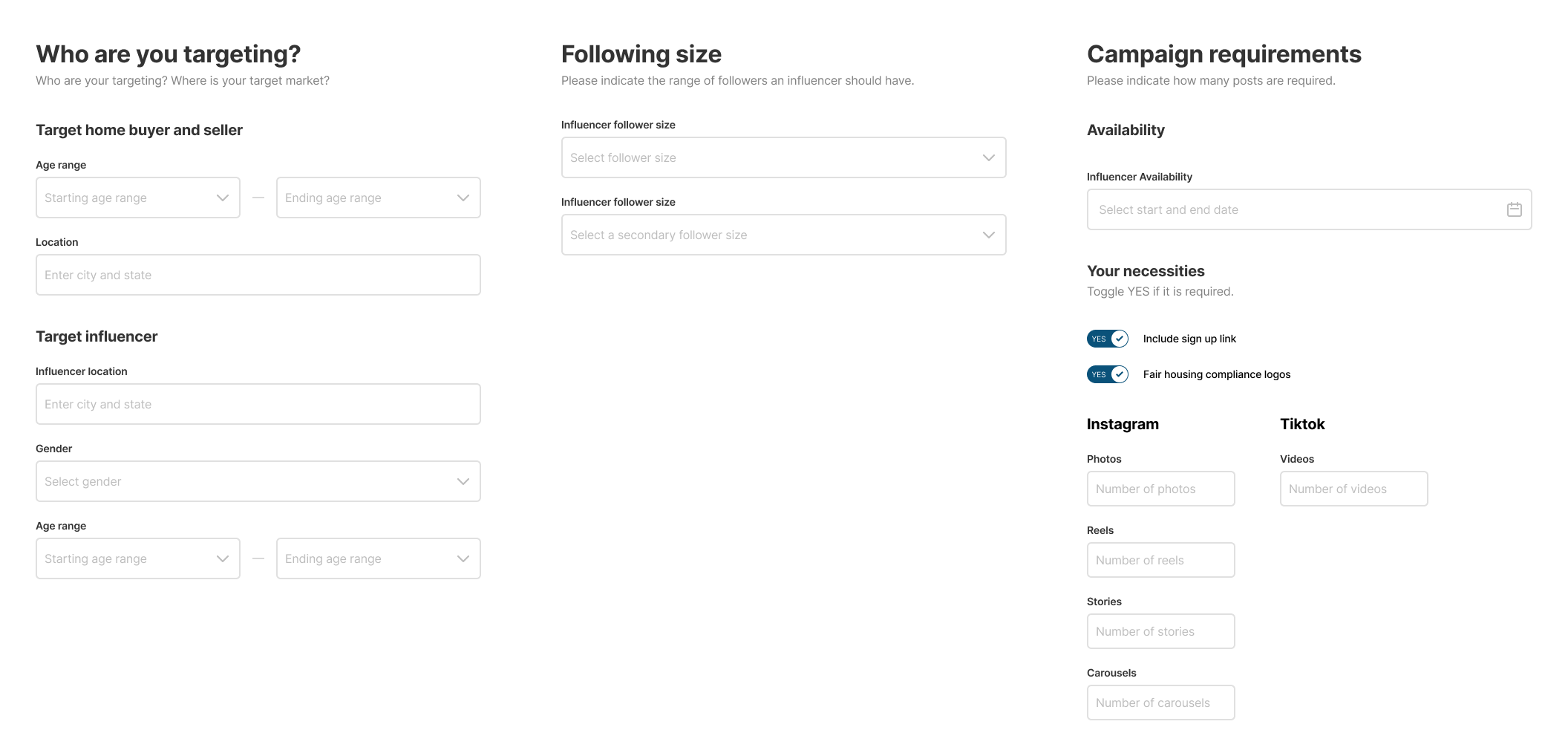
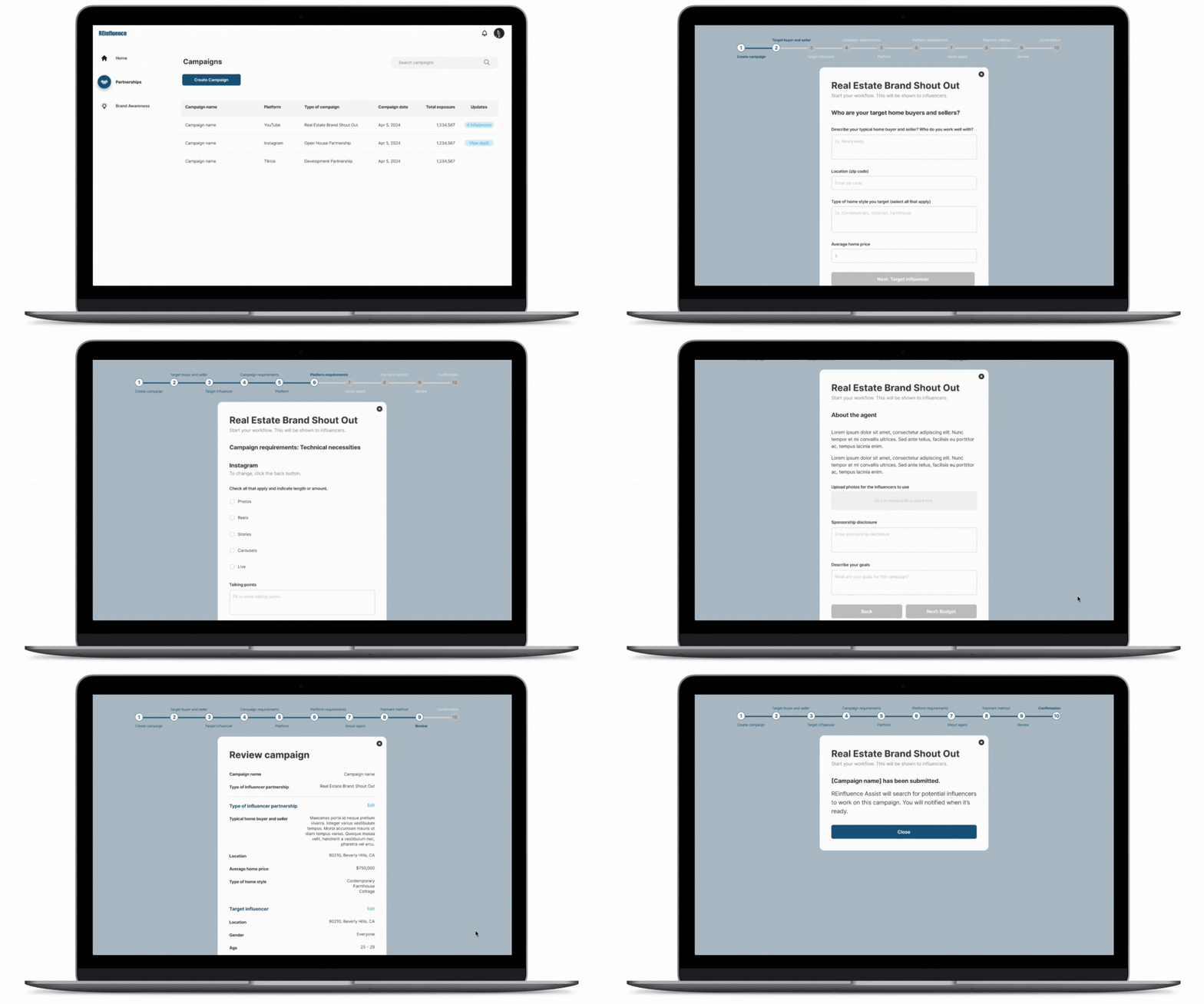
To streamline the user experience, I redesigned campaign creation into progressive steps instead of a long form.
Reducing Cognitive Load
Breaking up a long form into smaller logical sections makes the process feel more manageable and less cluttered
Users can focus on one set of related questions at a time, which improves comprehension and reduces overwhelm
Organizing content into steps (e.g., “Campaign Details,” “Influencer Info,” “Payment”) mirrors real-world mental models
Easier Error Handling
Users can be alerted to errors within a step, rather than needing to scroll up/down to find a missed field on a huge page.
This improves accessibility and reduces frustration.
New Feature: Influencer Selection
Instead of users browsing through profiles, an internal team member would manually curate a list of recommended influencers based on campaign criteria. This simplified the experience while still connecting users with relevant talent.
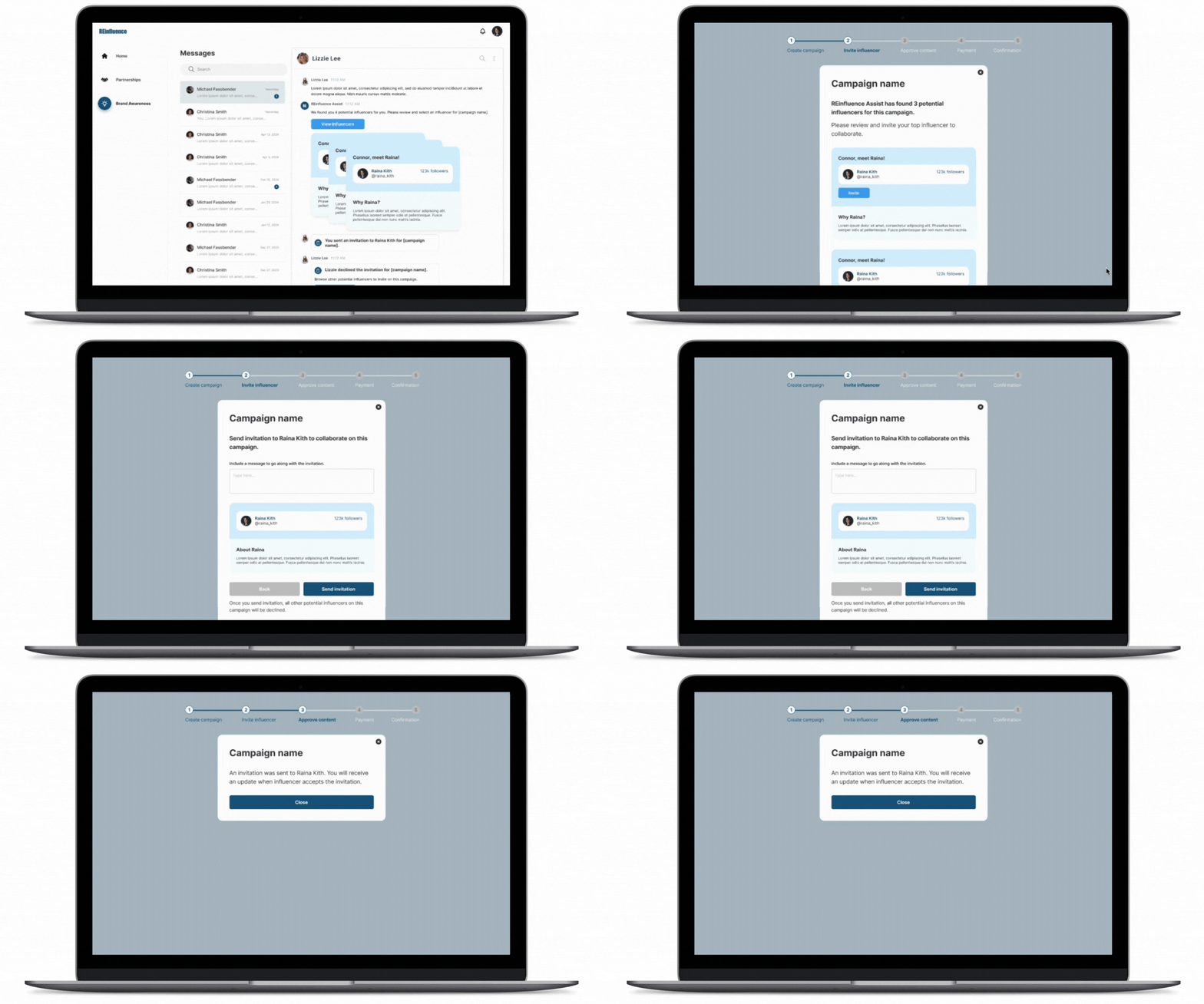
Feedback
Users shared that the term “influencer” carried negative or overly transactional connotations that didn’t align with the collaborative nature of the platform.
There were concerns about internal bandwidth and long-term sustainability in manually matching users with potential partners.
Iteration 3: Clarifying Partnerships & Language
Language Shift
The word "influencer" felt too transactional. Renaming them to Influential Partners encouraged a tone of collaboration over sponsorship.
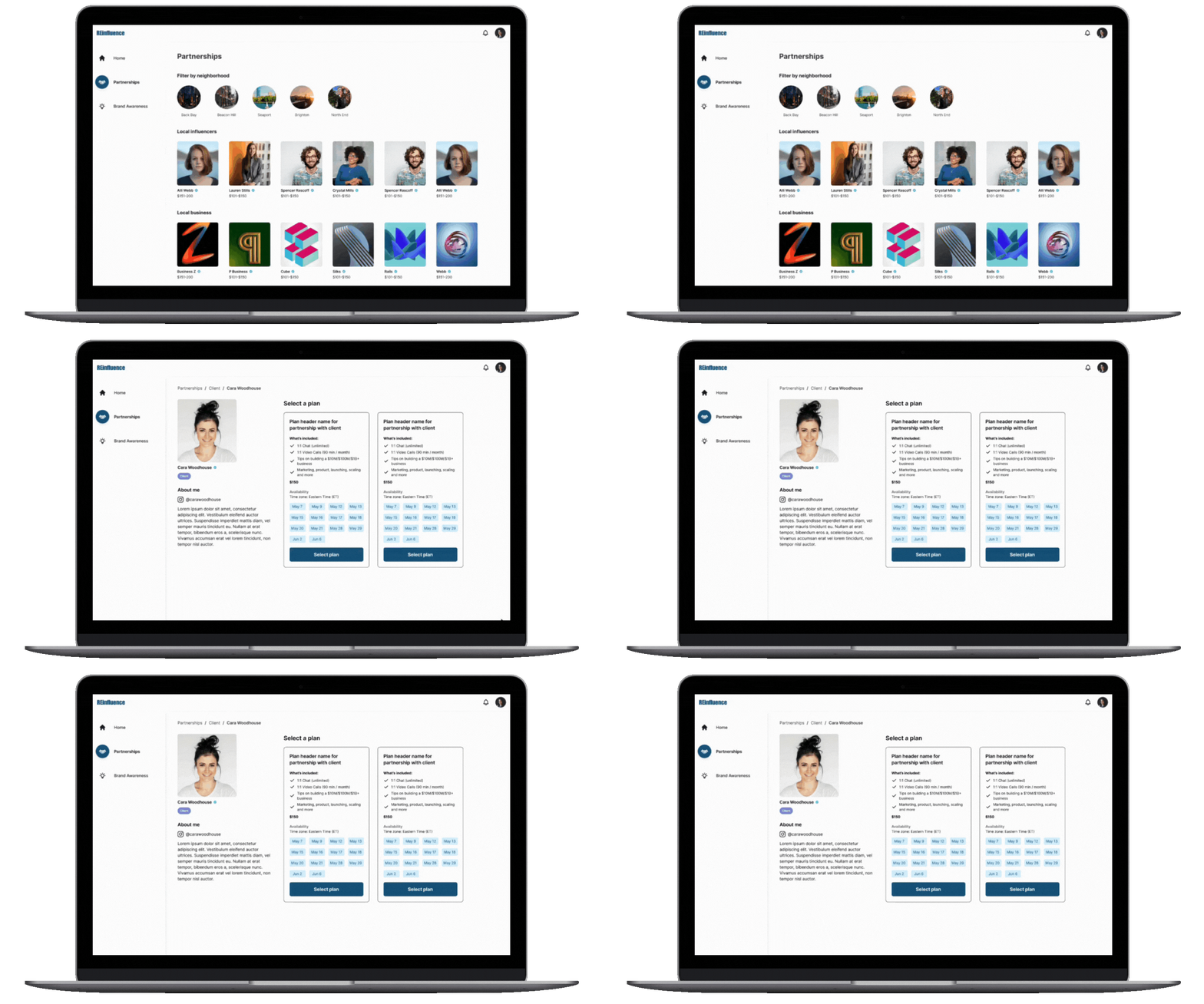
Partnership Page Improvements:
Browse and filter by location, neighborhood, and career experience
Invite outside partners via email (auto-creates partnership on registration)
Highlight plans, pricing, and availability directly on partner profiles
Emphasize 3-step action: Find → Book → Collaborate
Final Iteration: Product Pivot + No-Code Implementation
To reduce development time and cost, the client requested the platform be built using Bubble.io, a no-code platform. This meant I had to transition from designing flows to building the actual product interface
My Responsibilities Expanded To:
Redesigning all flows in Figma with Bubble constraints in mind
Building out key pages directly in Bubble.io
Defining data types and database structure for users, campaigns, partnerships

Reflections
What I learned
In fast-paced, early-stage projects, design direction evolves quickly—staying adaptable while protecting the user experience is key.
Working within no-code limitations (like database logic and dynamic visibility) taught me to balance UX strategy with practical execution.
Relying on a subject-matter expert instead of direct users challenged me to ask smarter questions and synthesize context quickly.